
Patient messaging
One inbox for WhatsApp, Instagram and Messenger
Patients message the practice on whatever app they already have open, which in practice means the practice ends up living on your personal phone. Movari puts all three channels in one place instead: right next to the record, with triage you control and automatic replies you write yourself.
Three channels, one inbox.
- WhatsApp Business, Instagram DMs and Facebook Messenger all arrive in the same place.
- Reply right from inside Movari, with the conversation beside the patient record.
- You stop checking three apps on your own phone.
- Only connect the channels you actually use, none of them are mandatory, and you can add one later.
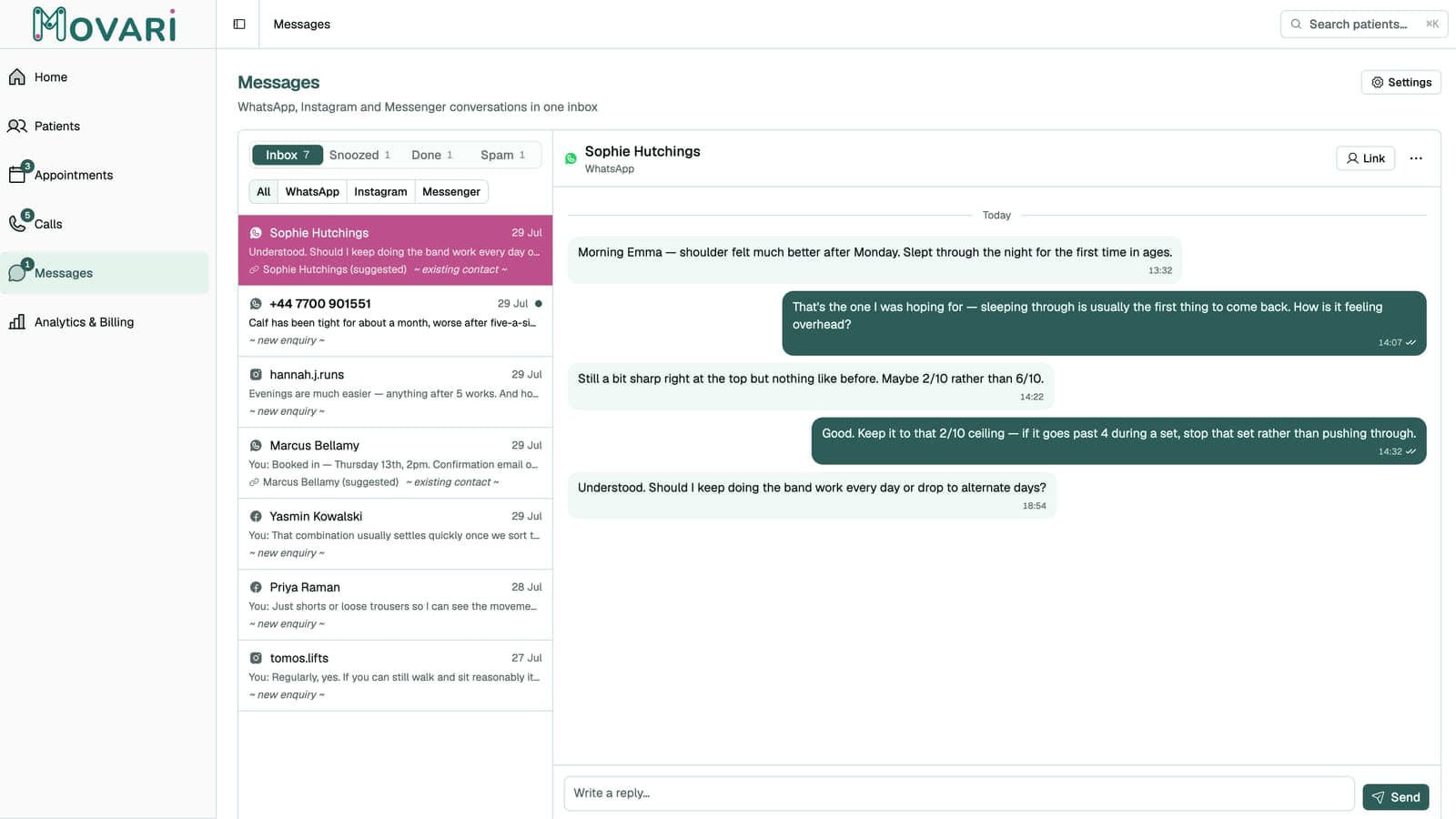
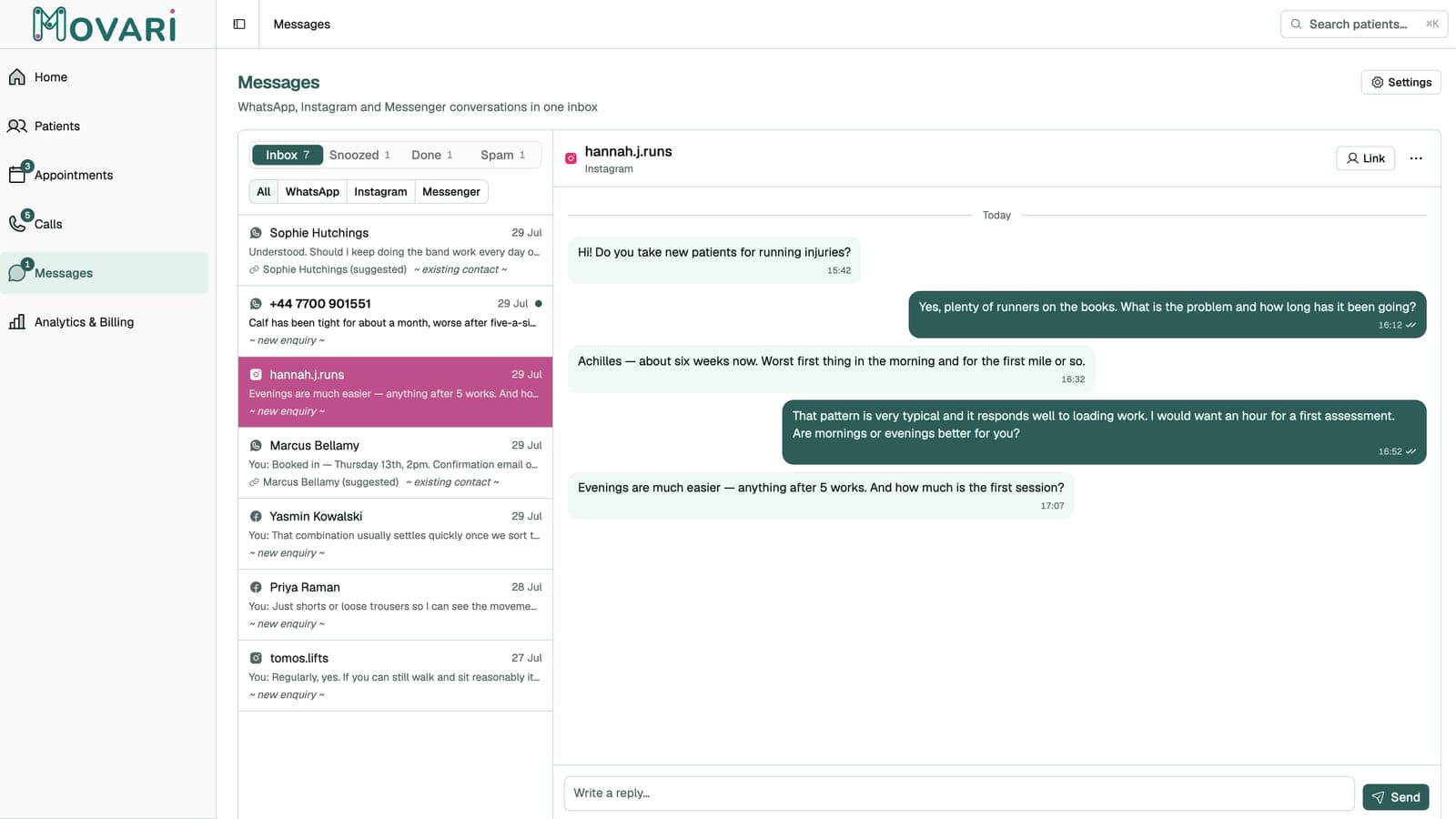
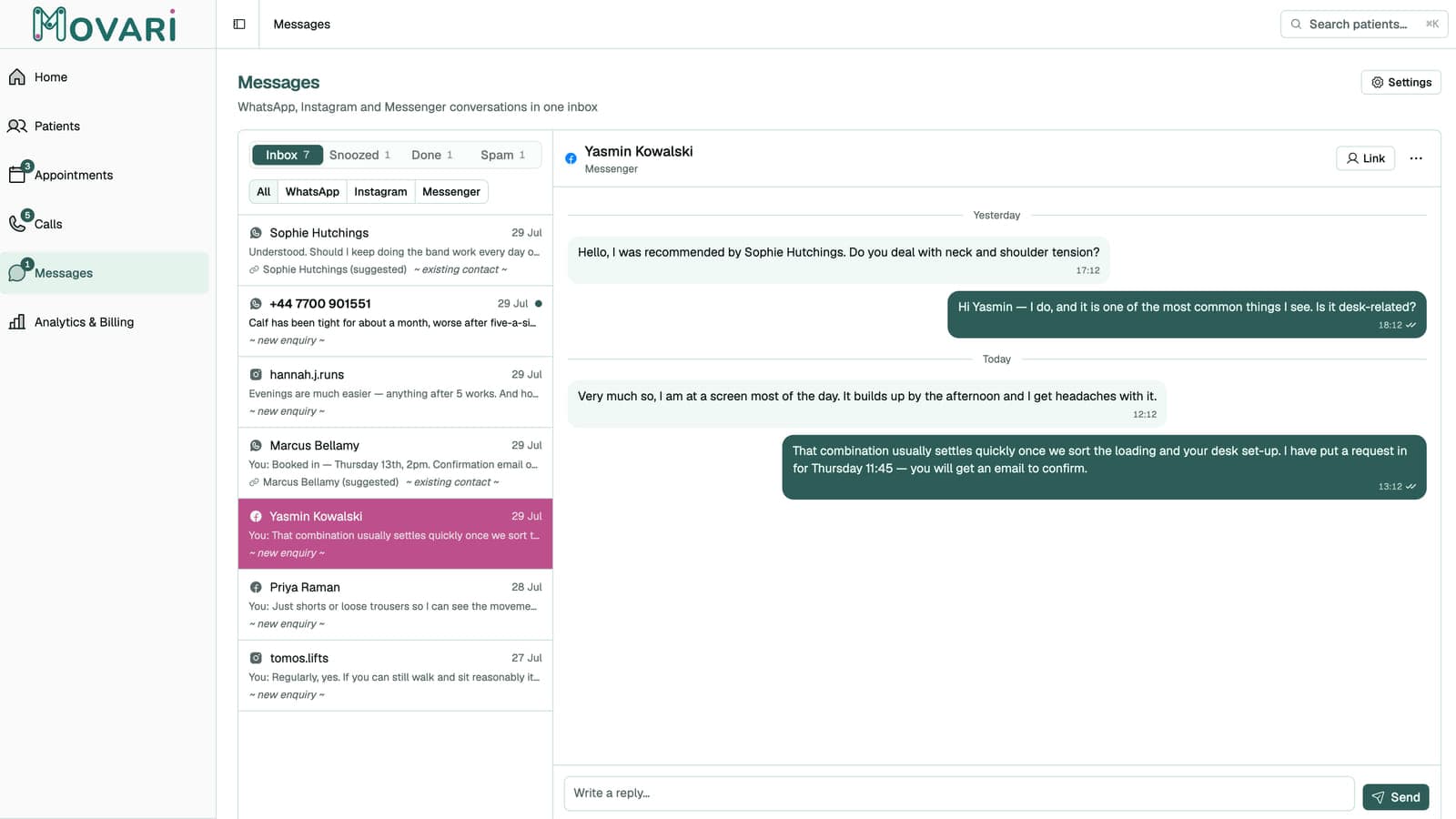
Triage all messages side-by-side, regardless of the platform.
- Four states for every thread: Inbox, Snoozed, Done, Spam.
- You decide what is clinically relevant and what is not, and you can snooze or mark done as you see fit.
Save what matters into the record. Leave the rest.
- Some messages are clinically relevant. Most are "running ten minutes late".
- You choose what gets saved into a clinical note and when. Pick specific messages and save them to the patient record as you see fit.
Two optional automatic replies. Both written by you.
- A first-contact greeting, and an out-of-hours reply.
- Each sends the exact messages you typed, verbatim. Nothing is generated, and there is no chatbot to talk to.
- You can change the text at any time, and you can turn either off if you prefer.
- The out-of-hours reply is sent only when you are actually out of hours, and only once per closed period, so someone messaging five times over a weekend gets one reply, not five.